
Built by freelancers, for freelancers
Run your entire creative business from Wordpress
You're already juggling clients, projects, and deadlines. Freelance Studio brings everything together – invoicing, contracts, time tracking, proposals, and more – right inside your WordPress site. No extra logins. No vendor lock-in. No handing your business data to someone else's server.
No credit card required
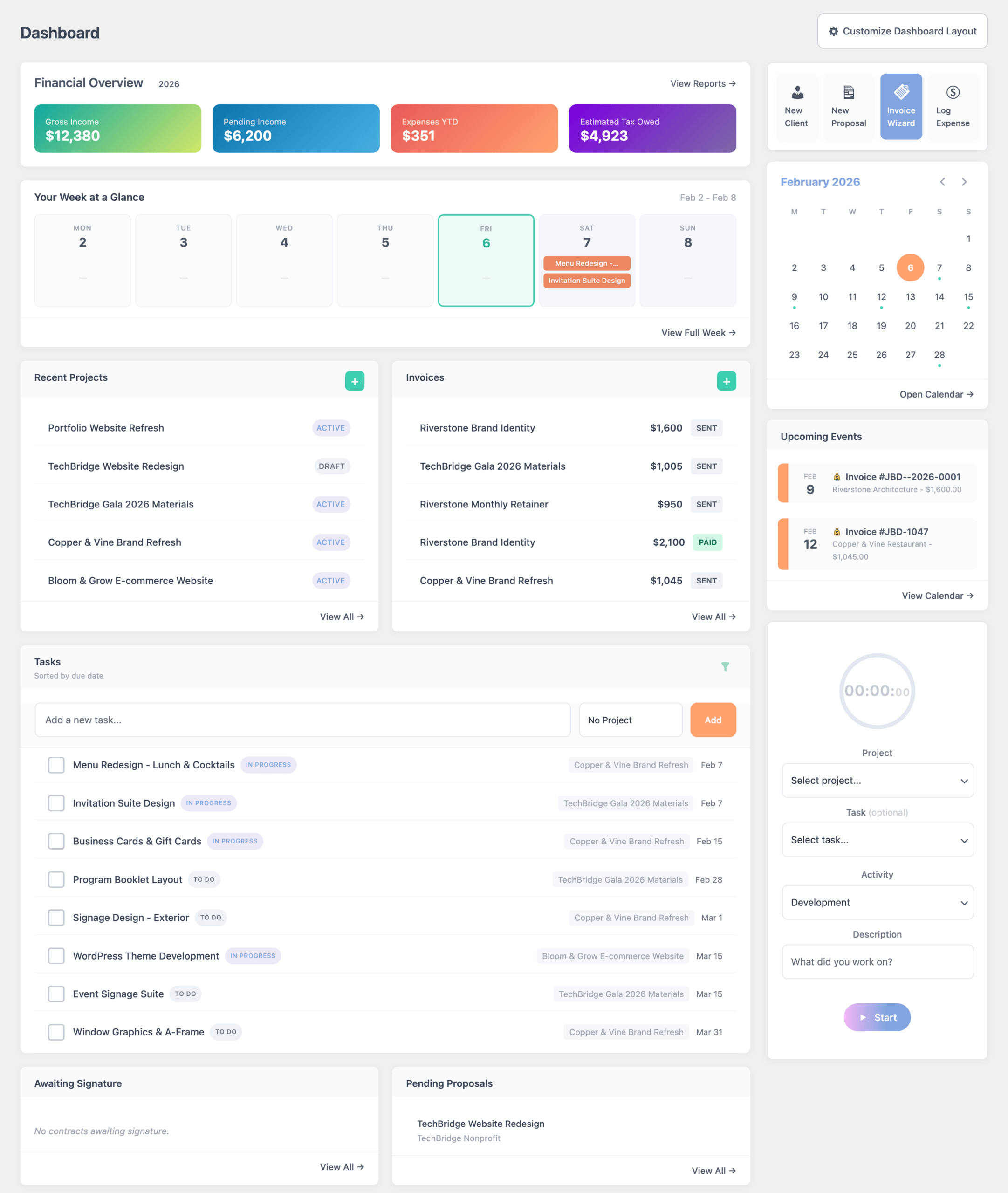
Works on Your WordPress Site
No Separate Login
No Vendor Lock-In
We built this for YOU
Because we're freelancers too.
Freelance Studio was born out of our own frustration. We're designers and developers who got tired of paying for freelance business tools that didn't quite work the way creative projects actually flow.
This isn't another generic "small business" tool. It's built specifically for people who do creative work for clients — designers, developers, photographers, copywriters, consultants. People who think in projects, not products.
One Price. Everything Included.
Invoicing, time tracking, contracts, proposals, scheduling, expense tracking, and reporting.
All of it, in one place, for $15 a month. No feature tiers. No per-user fees. No transaction cuts.
One Login. Your WP Dashboard.
Everything lives where your portfolio already lives. Your WordPress site. No jumping between apps. No remembering five different passwords. Just one place to run your whole business.
One Server. Your Data.
When you use Freelance Studio, your client history, your invoices, and your contracts live in your own database. Nobody can shut it down, raise your prices, or lock you out. It's yours.
Features
Why freelancers choose Freelance Studio
From first contact to final payment, Freelance Studio handles the entire creative project journey.

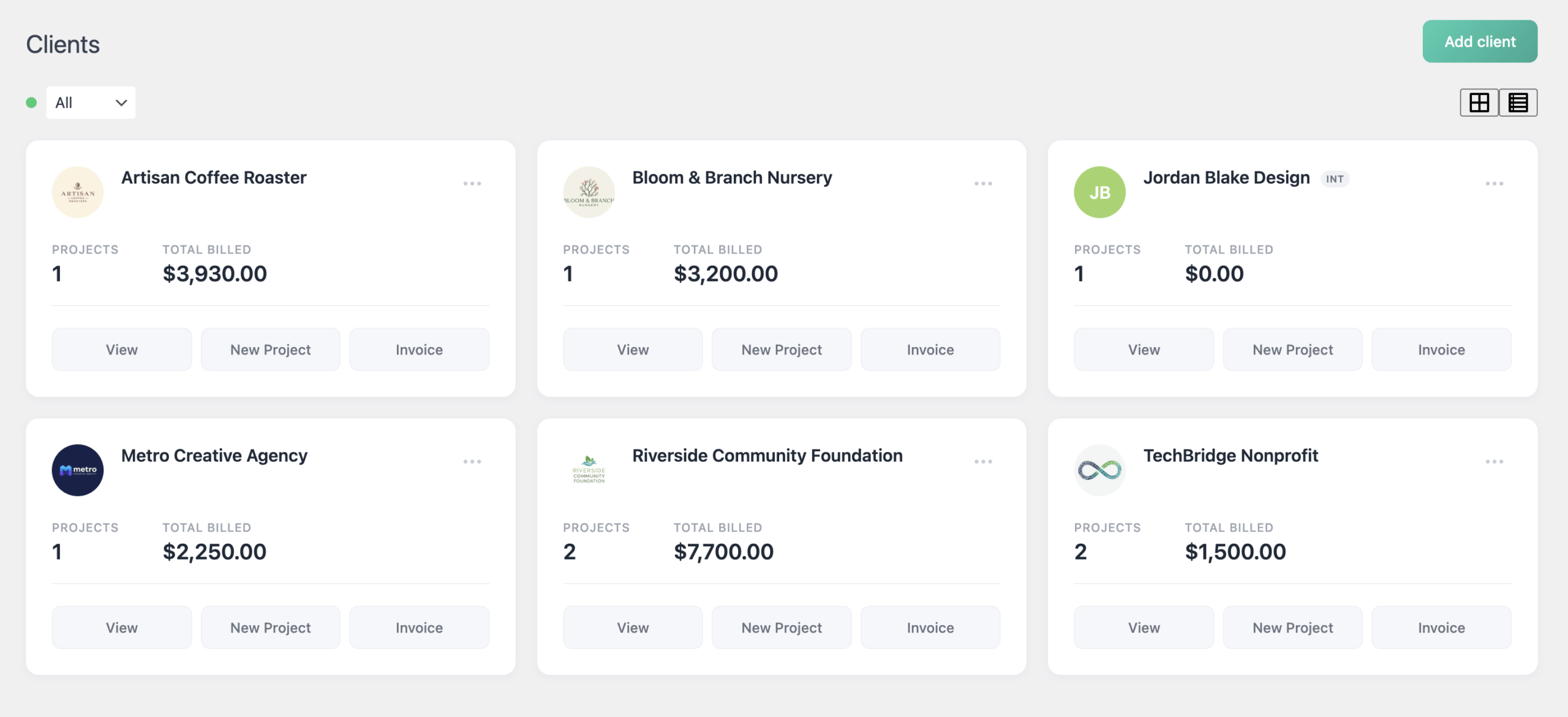
Client Management

Project Tracking & Tasks
Manage projects with milestones, tasks, and Kanban boards. Templates let you spin up new projects in seconds.
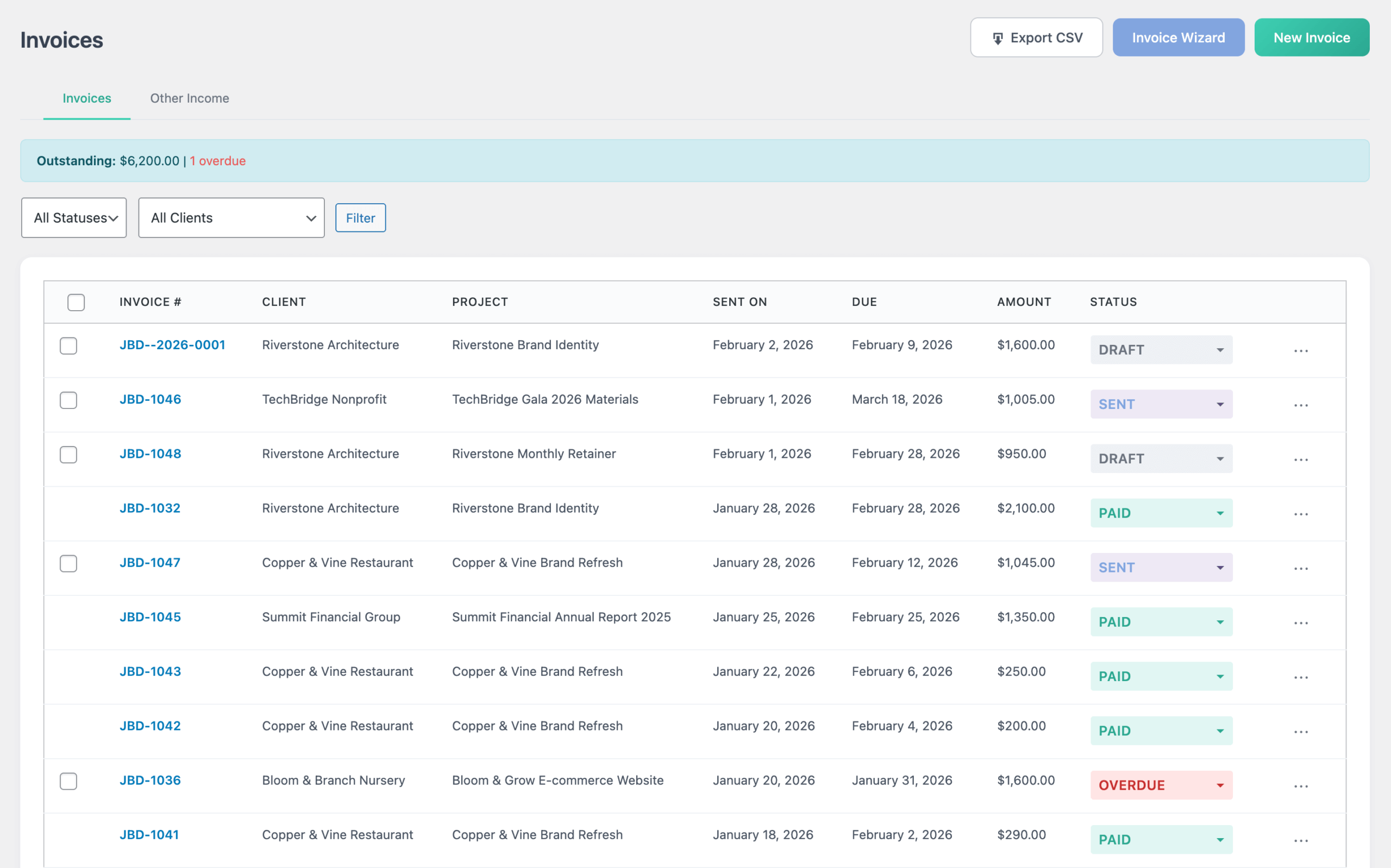
Professional Invoicing
Create beautiful invoices, collect deposits, set up recurring billing, and send automatic payment reminders.
Time Tracking
Built-in timer, manual entries, weekly views, and detailed reports. Bill hourly clients with confidence.
Proposals & Estimates
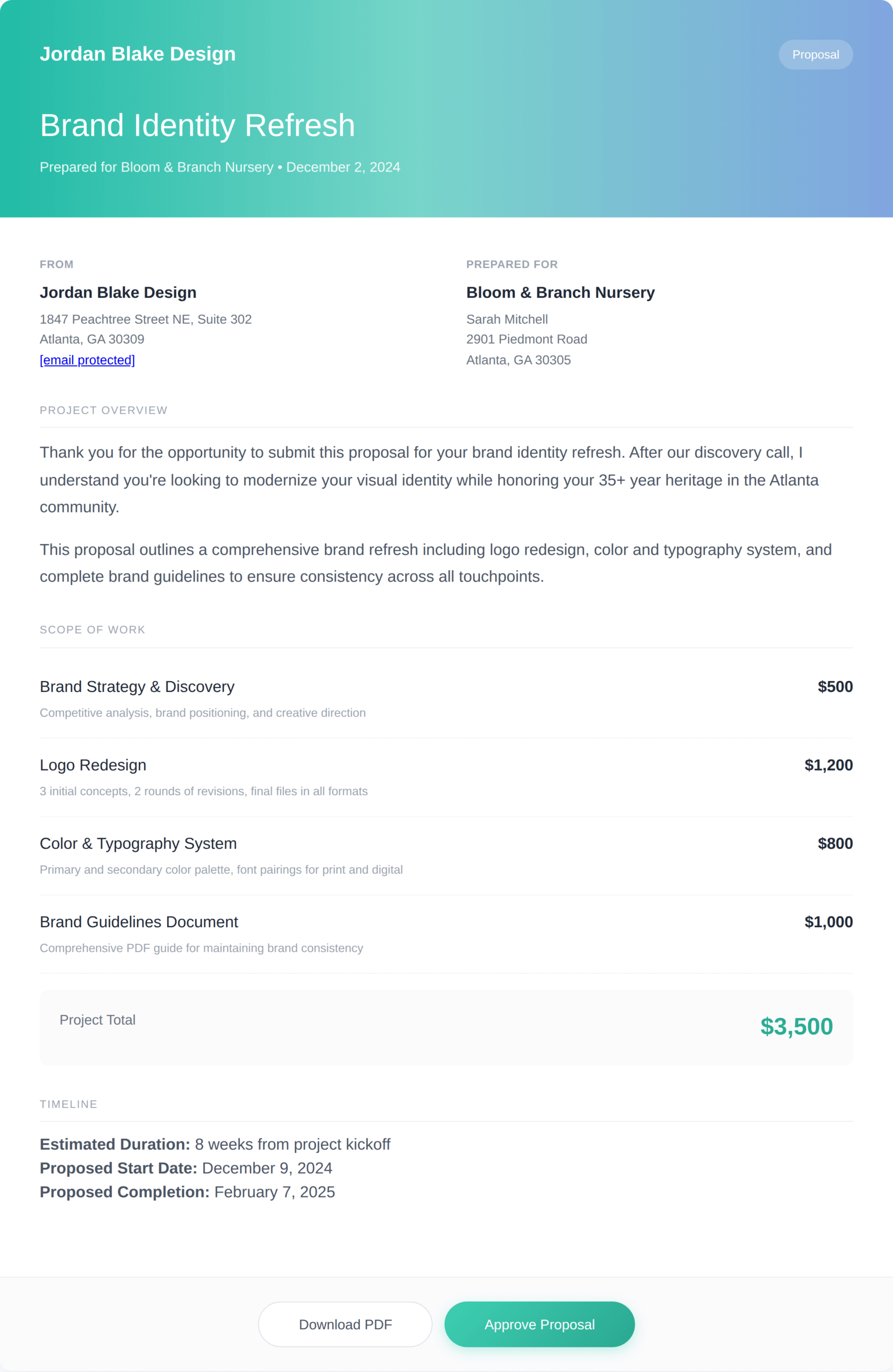
Send polished proposals with your branding. Clients can view, approve, and you'll know when they open it.
Contracts & E-Signature
Create contracts from templates, send for approval, and track status. Everything stays linked to the project.
Booking & Scheduling
Let clients book discovery calls or project kickoffs directly from your site. Syncs with Google Calendar.
Reports & Tax Prep
Revenue reports, expense tracking, and tax estimation. Categorize deductions and generate tax-ready reports. Know your numbers without spreadsheets.
Client Portals
Give clients a secure login to view projects, approve proposals, pay invoices, request tasks, and download files.No credit card required
More features. Lower cost. Your data.
See how Freelance Studio stacks up against the popular options.
| Freelance Studio | HoneyBook | Bonsai | Dubsado | QuickBooks | |
|---|---|---|---|---|---|
| Monthly Pricing | ~$15/mo | $29–$129/mo | $15–$59/mo | $20–$40/mo | $10–$200/mo |
| Data Ownership | ✓ Your server | ✗ Their cloud | ✗ Their cloud | ✗ Their cloud | ✗ Their cloud |
| WordPress Native | ✓ Yes | ✗ No | ✗ No | ✗ No | ✗ No |
| Client Management | ✓ | ✓ | ✓ | ✓ | Basic |
| Project Tracking | ✓ Kanban + Milestones | Basic tasks | ✓ Kanban + Gantt | Basic tasks | ✗ |
| Invoicing | ✓ | ✓ | ✓ | ✓ | ✓ |
| Time Tracking | ✓ Built-in | ✓ Built-in | ✓ Built-in | Premier only | Separate add-on |
| Proposals | ✓ | ✓ | ✓ | ✓ | ✗ |
| Contracts & E-Sign | ✓ | ✓ | ✓ | ✓ | ✗ |
| Booking/Scheduling | ✓ | ✓ | ✓ | Premier only | ✗ |
| Expense Tracking | ✓ | ✓ | ✓ | Basic | ✓ |
| Tax Reports | ✓ | Basic | ✓ | Basic | ✓ |
| Client Portal | ✓ | ✓ | ✓ | ✓ | ✗ |
Pricing based on publicly available information as of January 2026. Features may vary by plan tier.
We Get it
Running a freelance business is a lot.
You got into this to do creative work and be your own boss, not to manage a dozen different apps and worry about where your data lives.
Too many tools, too much friction
One app for invoices. Another for booking meetings. A different one for projects and tasks. And somehow you're still managing your income and tax estimating in a spreadsheet. Every new tool means another login, another monthly bill, another thing to check.

Your Business Data Isn't Really Yours
With cloud-only platforms, your client history, project records, and financial data live on someone else's server. If they raise prices, change features, or shut down, your business is along for the ride.
Yes, this runs on WordPress. Here's why that's a good thing.
Freelance Studio lives inside your WordPress site, which means your client list, your invoices, your contracts, and your entire business history live in your database, on your server, under your control. No cloud company holds the keys.
Already have WordPress? You're five minutes away from getting started.
Don't have it yet? Most hosting providers (Bluehost, SiteGround, Kinsta) can set up WordPress for free in one click.
Your business data belongs on your server
With Freelance Studio, every client record, invoice, contract, and project lives in your own WordPress database, not on someone else's server. You're never at the mercy of another company's decisions.
 Full database access — export anytime
No external server downtime
Your backups, your control
Works with your existing Wordpress site
No credit card required
Pricing
Plans that actually make sense
Start free. Upgrade when you're ready. Cancel anytime.
Free
Forever
For freelancers just starting out
Everything you need
to get started
Pro
$15/month
Flexibility to cancel anytime
Billed Monthly
Everything in free, plus:
Best Value
Pro
$150/year
Save with annual billing
Save $30/year
Billed annually
Everything in free, plus:
Need more time to test before committing?
After your 14-day trial starts, just reach out and we'll extend it to a full 30 days — no questions asked.
FAQ
Questions? We've got answers.
Do I already need WordPress?
Yes, Freelance Studio runs on WordPress. If you already have a WordPress site, you're ready to go.
If you don't have one yet, most hosting providers can set up WordPress for free in one click. We have a simple guide to walk you through it.
What's the difference between Free and Pro?
Free gives you everything you need to actually run a freelance business with up to 5 clients. Pro removes all the limits and unlocks advanced features like the live timer, client portal, e-signatures, scheduling, tax reports, and more. Try free first and upgrade when you're ready.
What if I cancel my subscription?
Your data stays on your server — it's always yours. You will just be downgraded to the free plan limits until you resubscribe, but nothing gets deleted and nothing goes anywhere.
Can I export my data?
Yes. Your data lives in your own WordPress database, so you have full access to it anytime. You can export everything from inside the plugin whenever you want.
Do you have a demo site?
Yes! Try a fully-unlocked version of Freelance Studio right here!
Do I need coding skills?
Not at all. If you can manage a WordPress site, you can use Freelance Studio. Everything is built to be intuitive right out of the box.
Can my clients pay invoices online?
Currently, Freelance Studio allows you to include custom payment instructions right on your invoices, as well as a custom link to your preferred payment platform. We do not process any payments ourselves.
Do you take a cut of my invoices?
Nope. We don't process payments, so we never touch your money. You keep 100% of what you invoice. Connect your own payment method (PayPal, Stripe, bank transfer, whatever you prefer) and track payments inside Freelance Studio.
Is there a mobile app?
Freelance Studio is fully responsive, so it works beautifully on mobile browsers. Just bookmark your dashboard on your phone home screen for quick access.
2026 © Freelance Studio Ltd. Co. All rights reserved.