
Freelance Studio
Simple Event Calendar
A Freelance Studio Freebie
A truly simple & free calendar & event Wordpress plugin
FS Simple Event Calendar adds a clean, color-coded events calendar to any WordPress site. Set it up in a few minutes, drop it on a page with a shortcode, and you're done.
Free Forever
Runs on Your WordPress Site
No Account Needed
Light on Your Site
Everything a simple, functional calendar needs
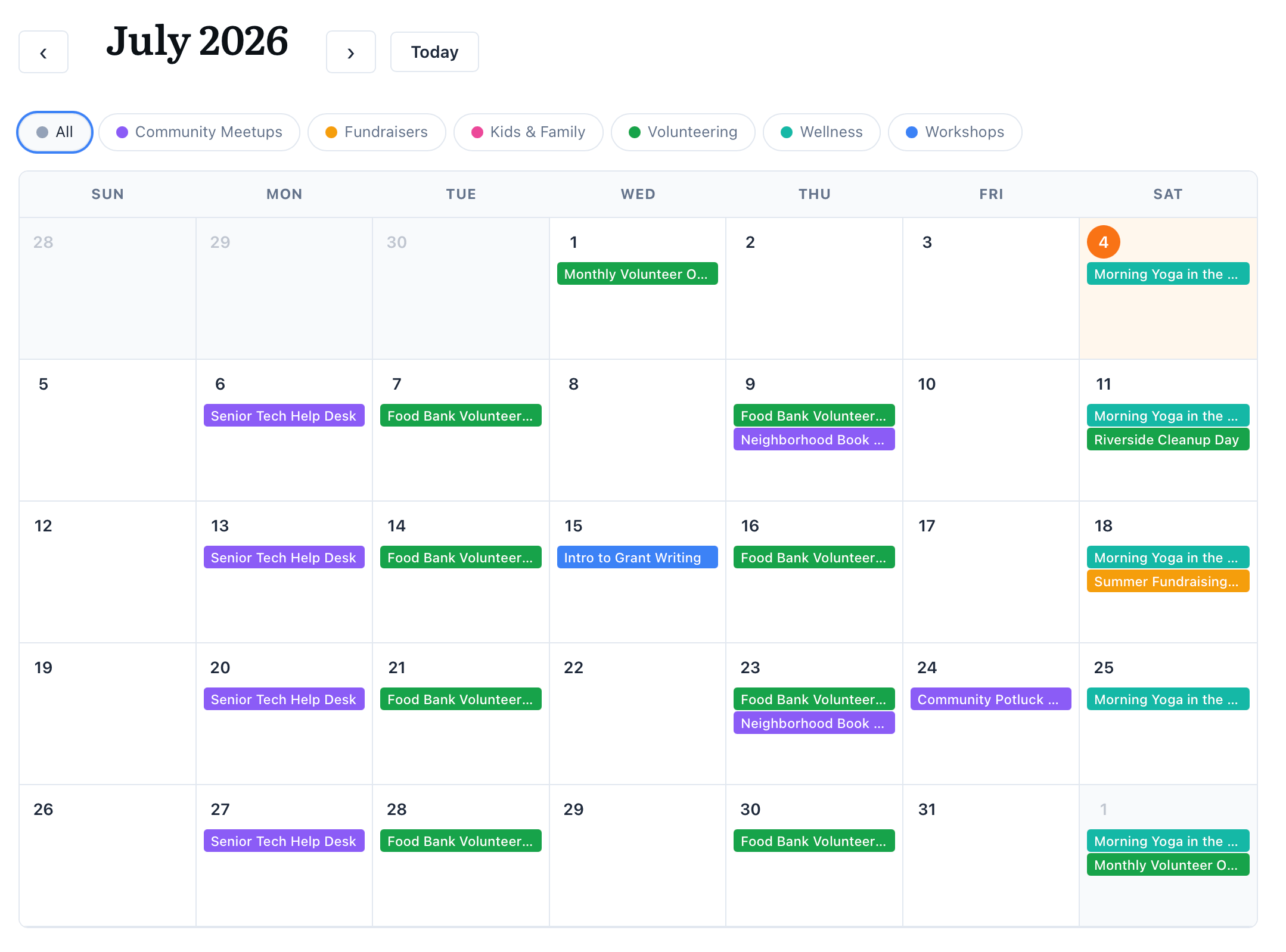
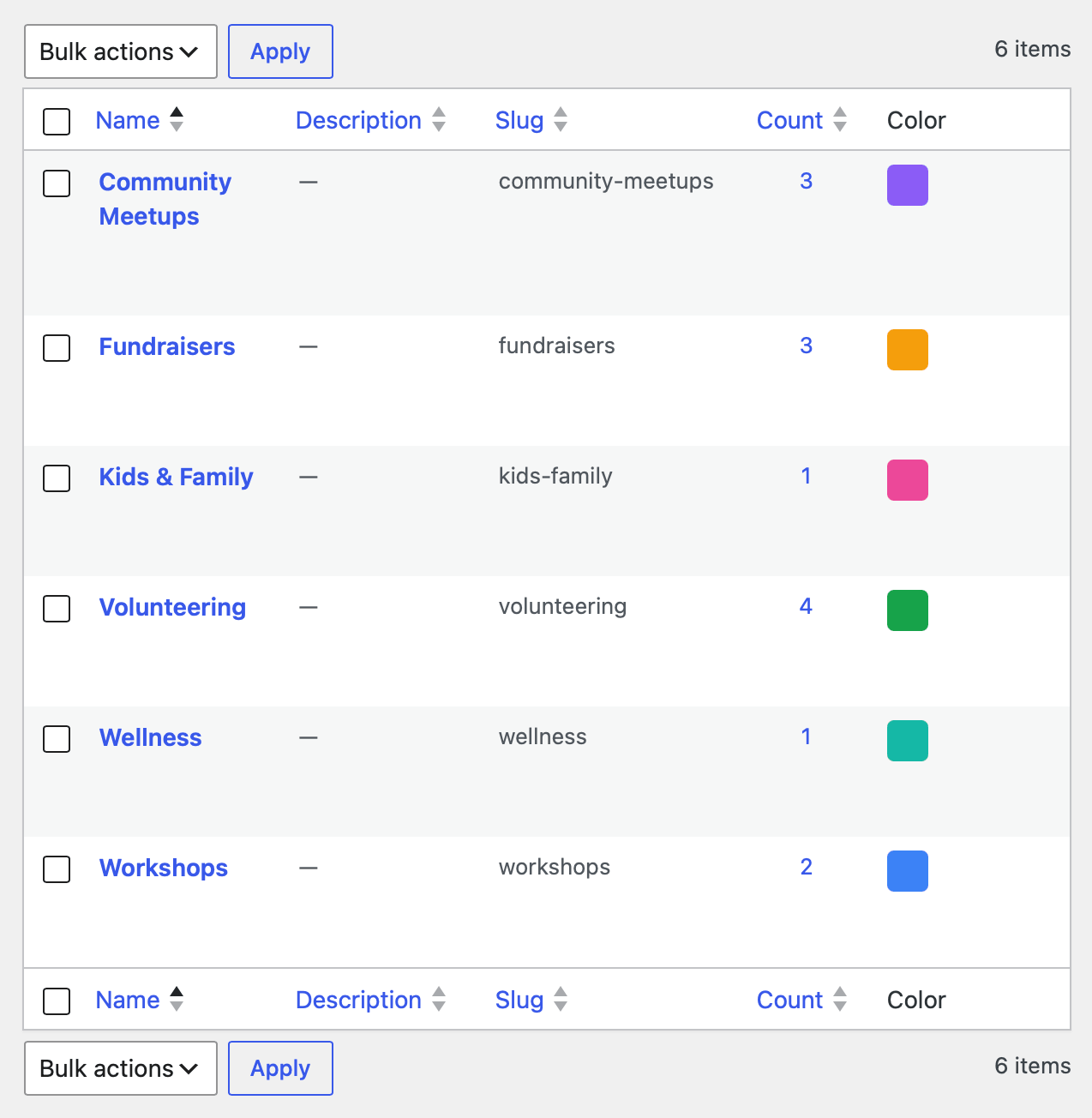
Color-coded categories
Give each category a color. Events wear it on the grid, so even a packed month reads at a glance.
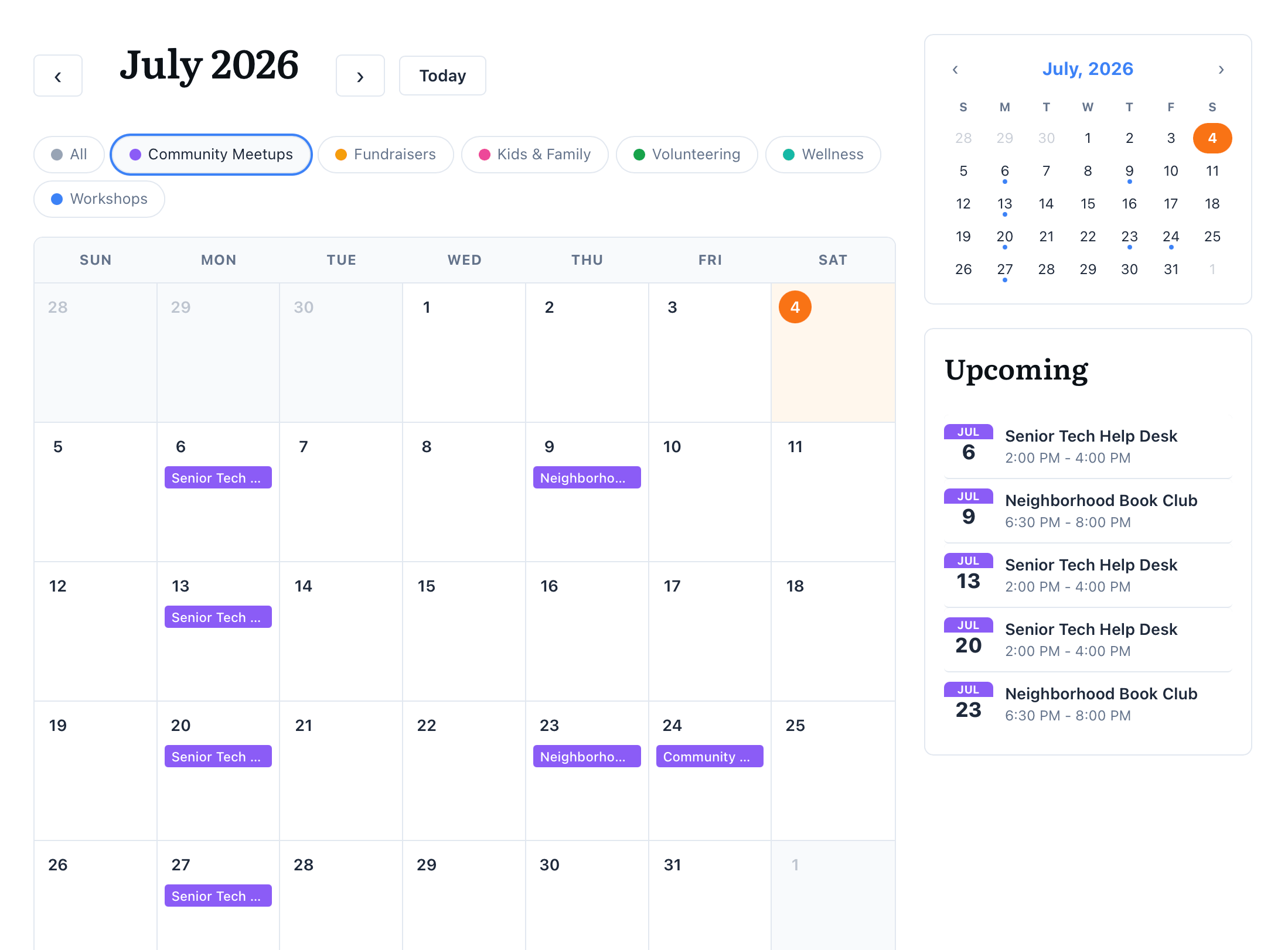
Filter by Category
Visitors filter the calendar right from the legend. The URL updates too, so a filtered view is easy to share.
Recurring events
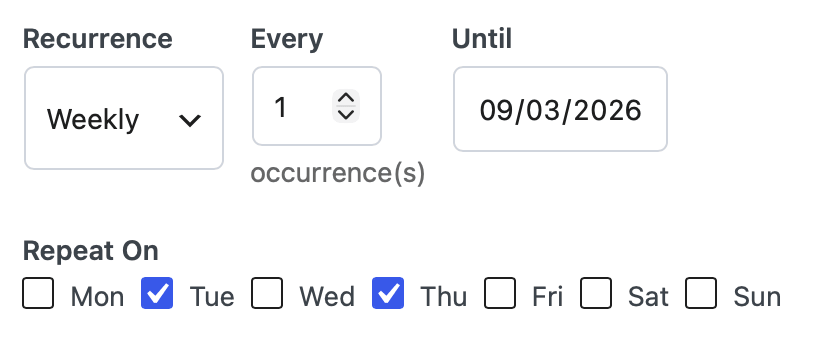
Daily, weekly, monthly, or yearly. Pick specific weekdays and an end date for the ones that repeat.
Add to Calendar
Every event has a one-click .ics download. It drops straight into Apple Calendar, Google Calendar, or Outlook.
Links for Registration and Virtual Events
Include relevant links for users to Register or attend. They'll be included in the calendar download.
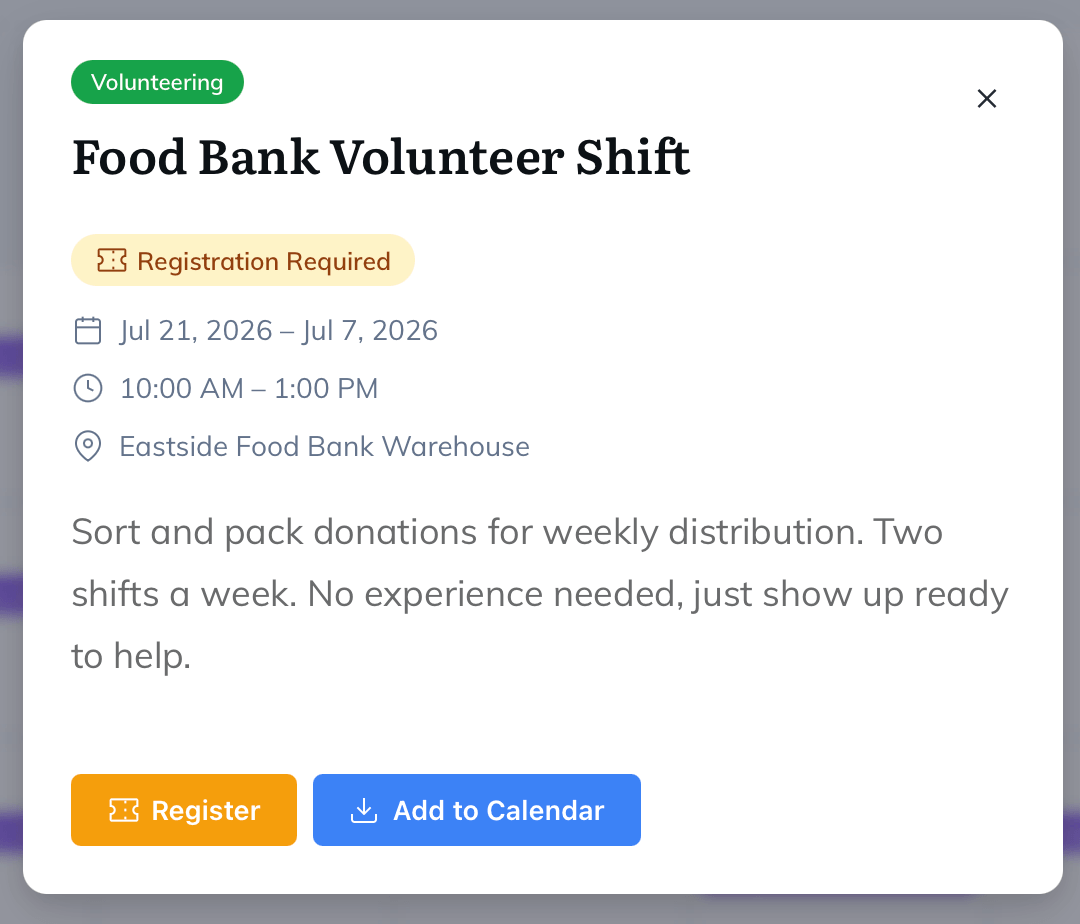
Multiple Views: Calendar, List, Or Sidebar
Use the full month grid, a simple event list, or a compact mini calendar and upcoming list made for sidebars. Drop them in with these simple shortcodes.
The full calendar
[fslc_calendar]
The full-width month grid with category legend filters. Clean and on its own.
category — show a single category by slug
[fslc_calendar category="workshops"]
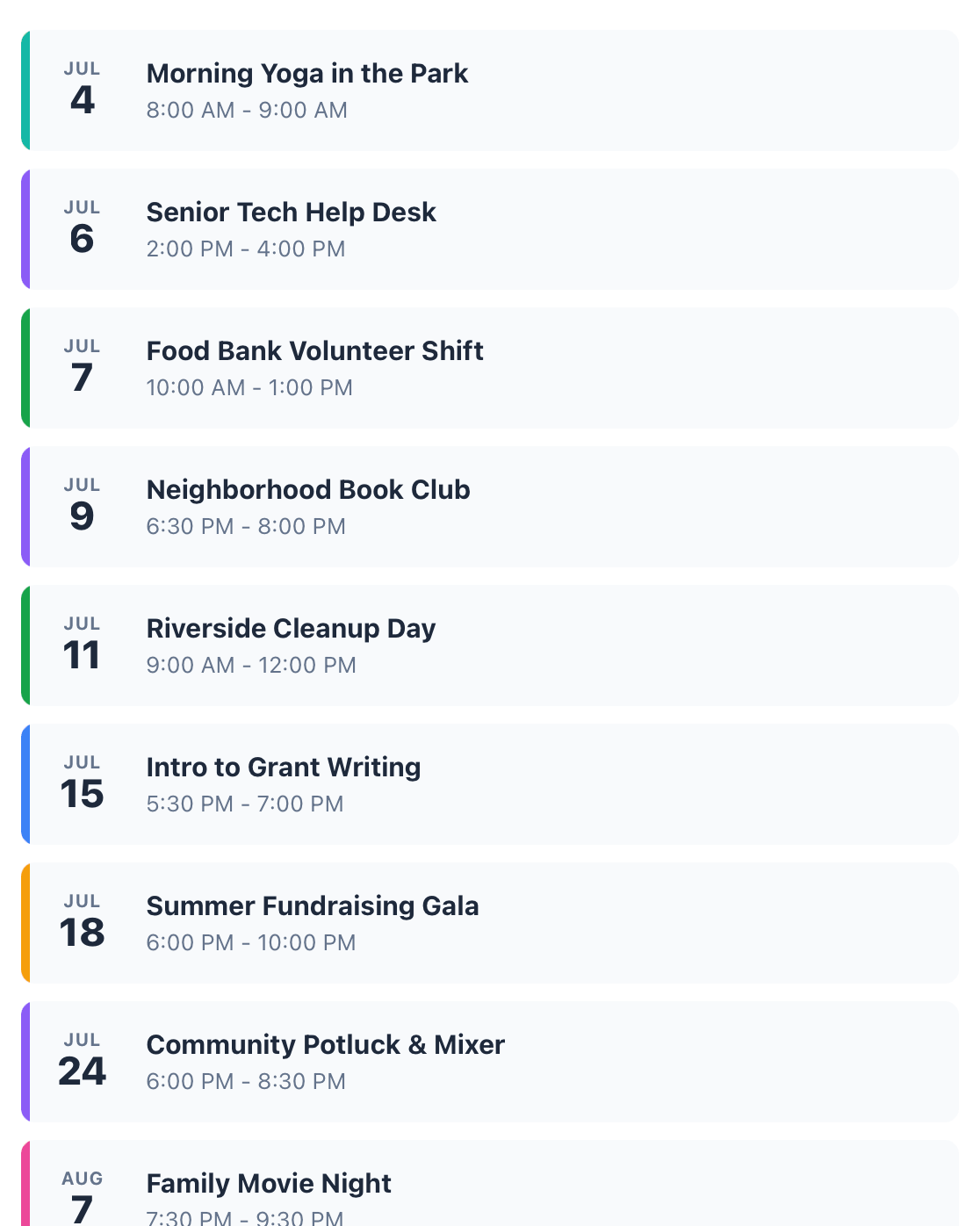
The Event List
[fslc_event_list]
A styled list of events. Add a month header and category filters when you want them.
scope — upcoming, past, or all header — month title with navigationfilters — category legend
[fslc_event_list header="false" filters="false"]
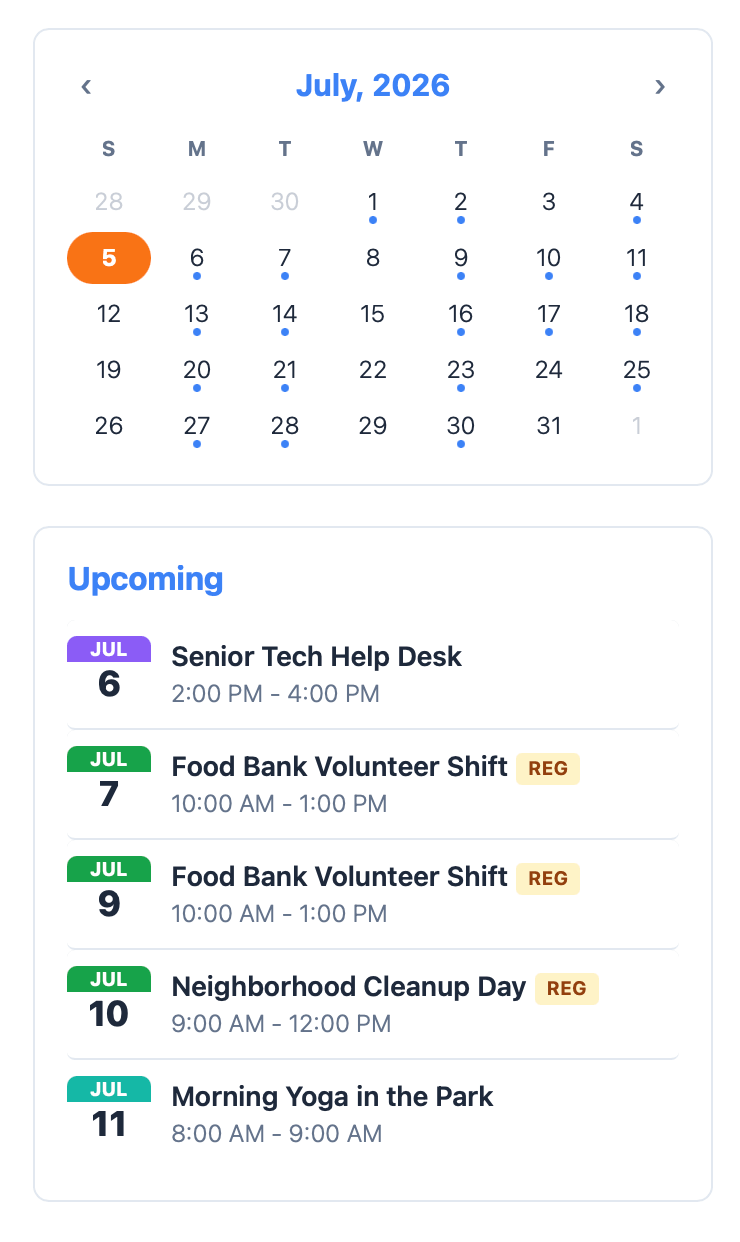
The Sidebar
[fslc_mini_calendar]
A compact month calendar plus an upcoming-events list, sized for sidebars and widget areas.
limit — upcoming events to list (default 5) calendar/upcoming — set either to false to hide
[fslc_mini_calendar upcoming="true"]
FAQ
Questions? We've got answers.
How do I show the calendar on my site?
Add the [fslc_calendar] or [fslc_mini_calendar] shortcode to any page or post. For a simple list instead, use [fslc_event_list]. That's the whole setup.
Does it send my data anywhere?
No. Events and categories live in your own WordPress database. The plugin doesn't call any outside service.
Can visitors add the events to their own calendar?
Yes. Every event has an Add to Calendar button that downloads a standard .ics file. It opens in Apple Calendar, Google Calendar, Outlook, and most other calendar apps.
Is it really free?
Yes, free forever, courtesy of Freelance Studio, our self-hosted business toolkit for creative freelancers. If you run a freelance business on WordPress, that's worth a look too.
A free plugin from Freelance Studio. Made for people who just need a calendar that works.
2026 © Freelance Studio Ltd. Co. All rights reserved.